Best Chrome Extensions for Exploratory UI/UX Testing
- 20 Feb 2026
Google Chrome is one of the most widely used browsers in the software development and testing community. For QA engineers, designers, freelancers, and small product teams, Chrome extensions can significantly improve productivity during UI/UX testing.
When time and resources are limited, especially in startups, independent teams, or SMEs, having lightweight tools that simplify manual and exploratory testing can make a huge difference.
The following group of Chrome extensions come from real-world experience and have proven extremely helpful for testing specific UI/UX areas efficiently.
Exploratory Testing
The Exploratory Testing Chrome Extension is a really good tool for documenting manual and exploratory testing sessions in web applications.
It is especially useful for freelancers or teams working in fast-paced environments where structured test cases are limited and exploratory coverage is essential.
Why It’s Useful
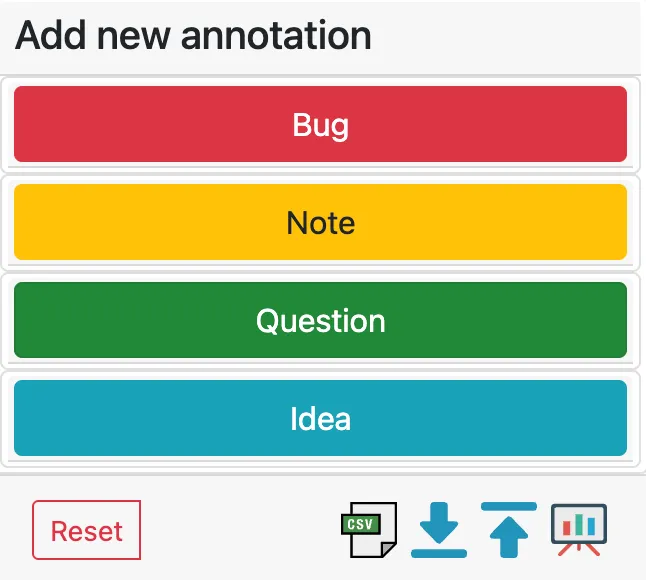
During a session, you can:
- Capture bugs and ideas instantly
- Take screenshots
- Add structured notes
- Track coverage areas
- Export full session reports
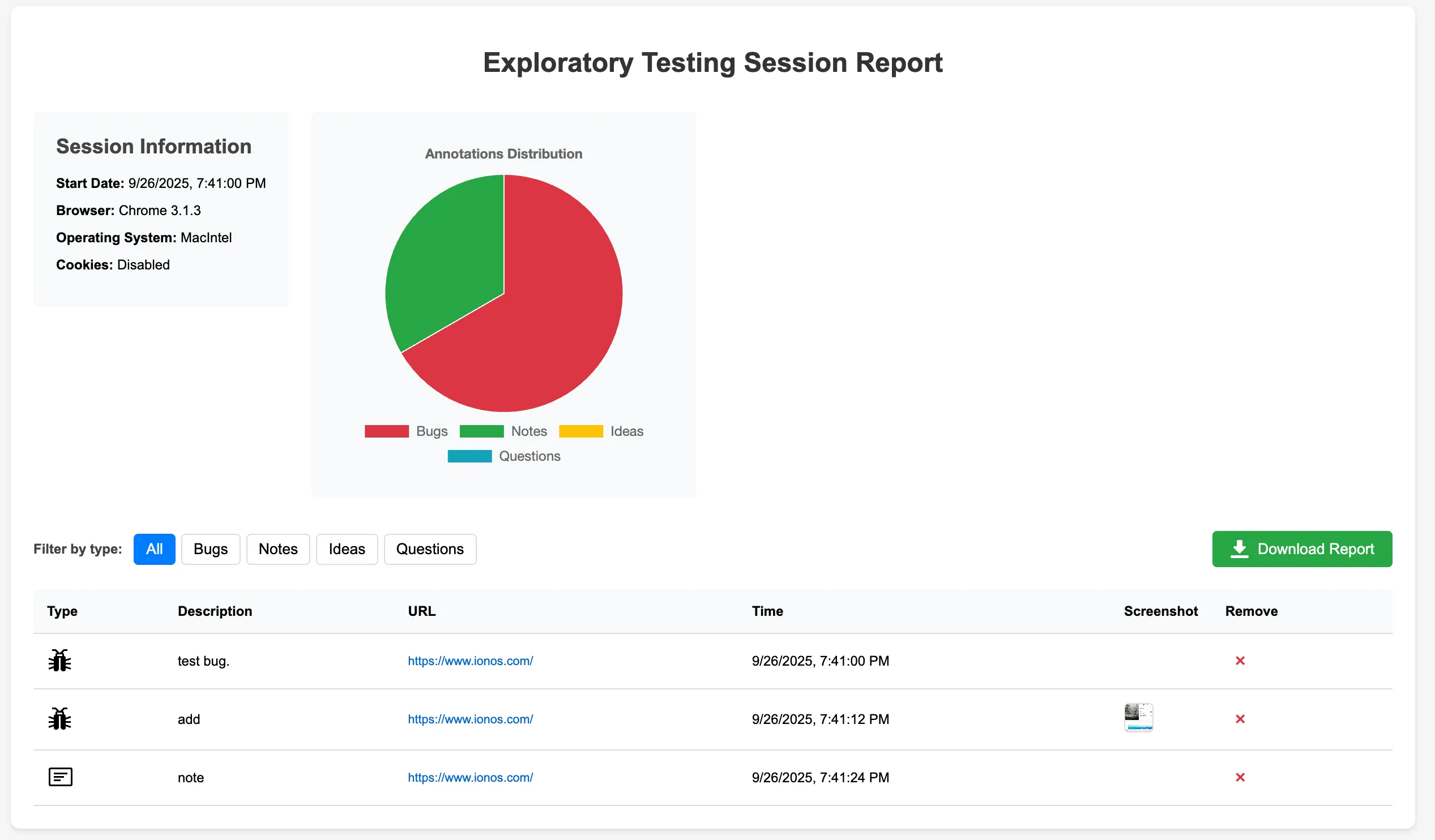
At the end of your session, you can export everything in CSV, JSON, or HTML format, making it easy to share results with stakeholders or attach reports to tickets.
Key Features
- Simple and intuitive UI
- Screenshot capture
- Session-based structured documentation
- Export in JSON, CSV, or HTML
- Save and import sessions
- Ideal for documenting manual test coverage
👉 Download Exploratory Testing Extension
VisBug
VisBug is a FireBug for designers, and in my perspective, for testers too.
It allows you to visually inspect and manipulate UI elements directly on the page without editing source code.
Perfect for:
- Checking spacing and alignment
- Measuring distances between elements
- Inspecting typography
- Testing responsiveness
- Reviewing accessibility aspects
- Nitpicking layouts at different device sizes
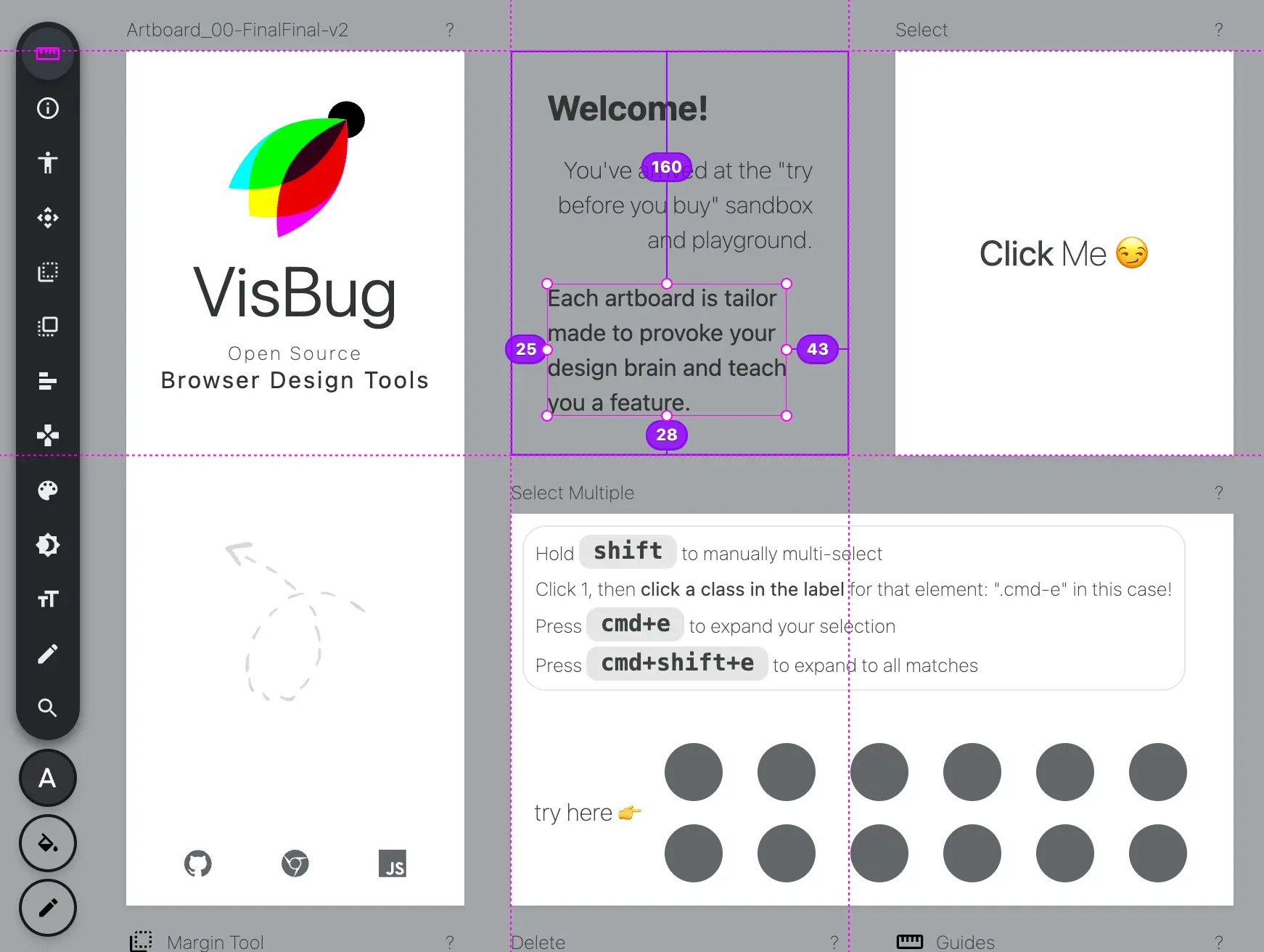
This extension is incredibly helpful during UI reviews, design validations, or when collaborating with designers. You can see more of the Official documentation here
WhatFont
Typography plays a crucial role in user experience. WhatFont makes it incredibly easy to identify fonts used on any website.
With a simple click, you can:
- Identify font families
- Check size, weight, and line height
- Inspect applied styles
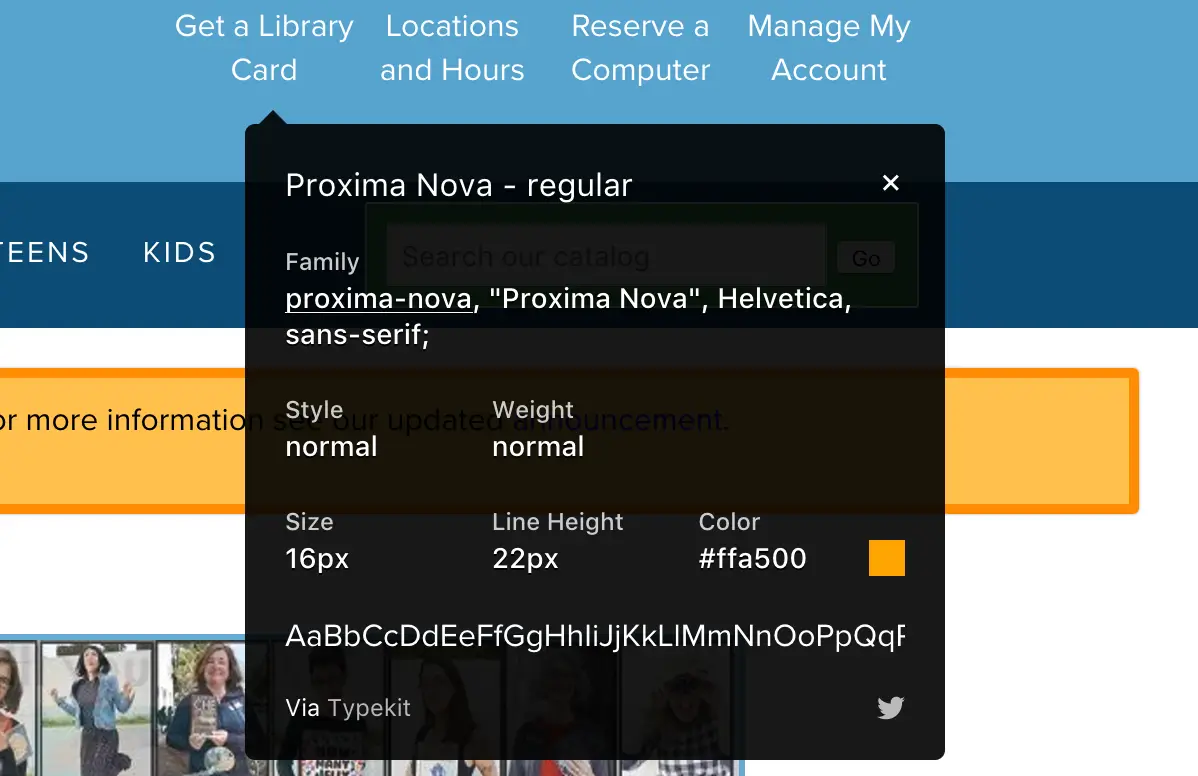
This is particularly helpful when validating design consistency or reporting UI discrepancies.
Page Load Time
Performance is part of UX, and the Page Load Time extension measures how long a page takes to load, displaying the results directly in your Chrome toolbar using the Navigation Timing API.
For quick performance checks during exploratory sessions, this extension provides immediate feedback without needing full performance audits.
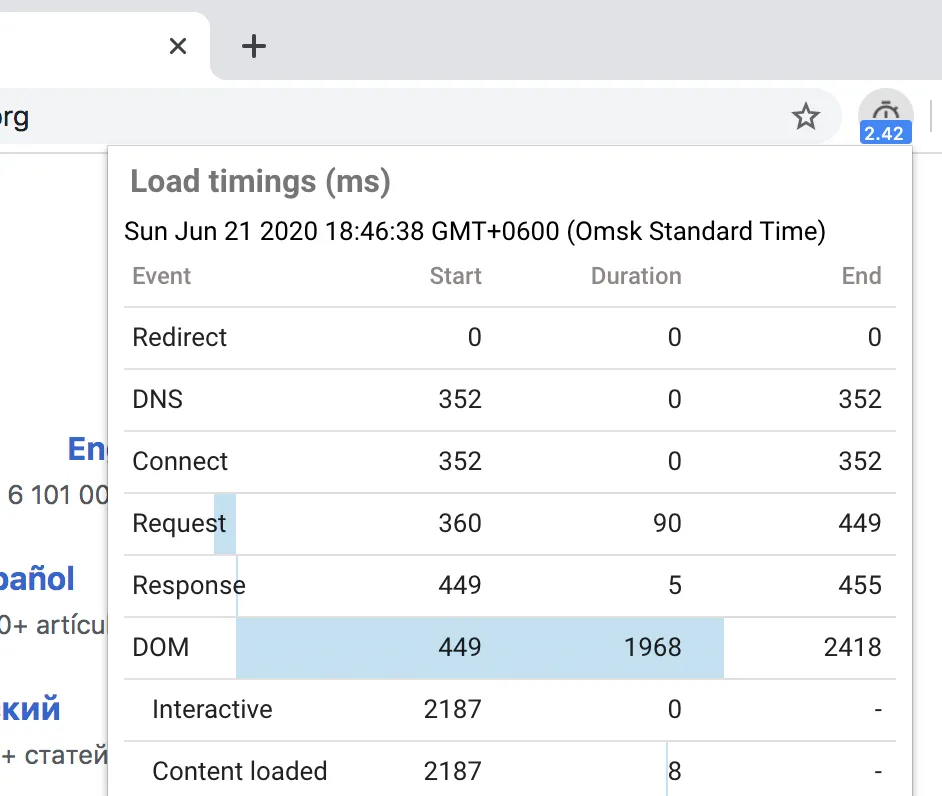
What does it do?
- Measures the time it takes for a web page to load
- Displays results directly in the Chrome toolbar
- Helps identify performance issues that affect user experience
- Great for spot-checking performance during exploratory testing
- Compare page load times across environments or devices
👉 Download Page Load Time Extension
Lighthouse
No UI/UX testing toolkit is complete without Lighthouse.
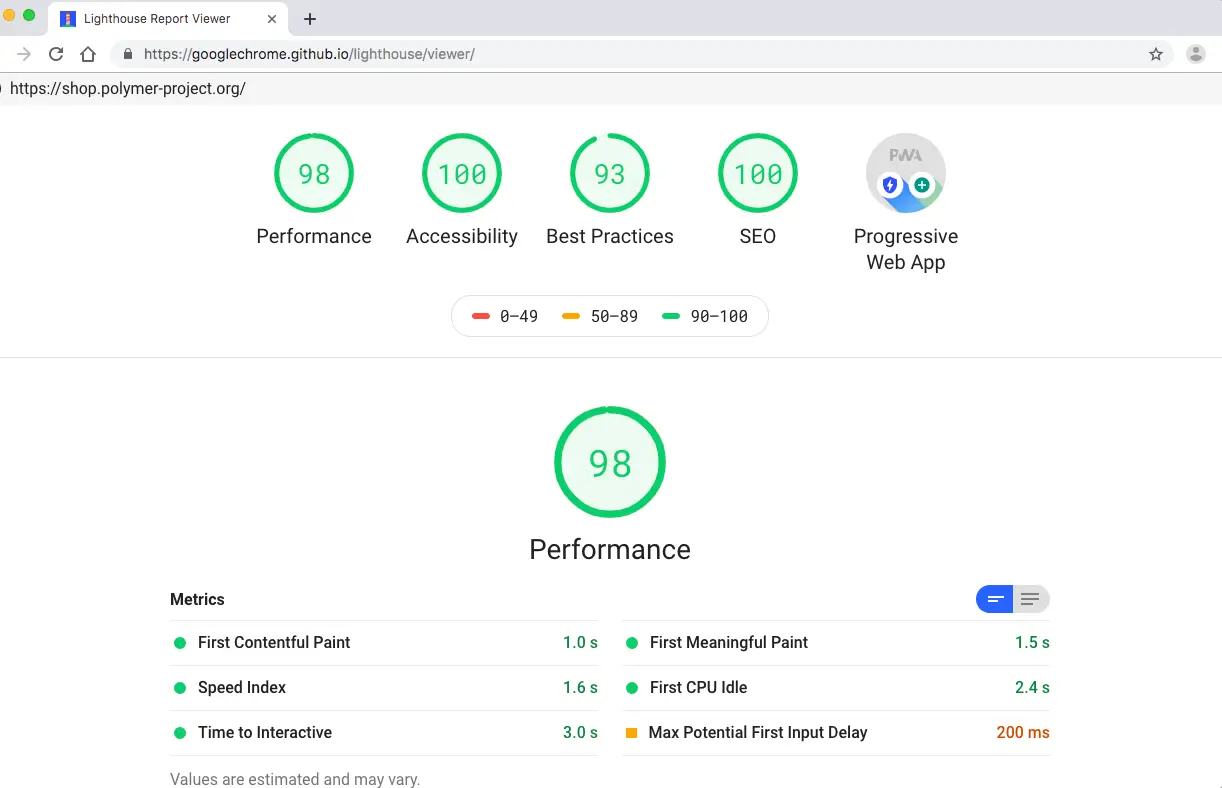
Developed by Google, Lighthouse is an open-source automated auditing tool that evaluates web pages for:
- Performance
- Accessibility
- SEO
- Best Practices
- Progressive Web App readiness
It generates detailed reports with actionable recommendations, helping teams improve both technical and user experience quality.
Why It’s Essential
- Fully automated audits
- Clear scoring system
- Actionable improvement suggestions
- Tests both public and authenticated pages
- Combines performance, accessibility, and SEO insights
While manual testing is crucial, Lighthouse adds a data-driven layer to your QA process.
👉 Download Lighthouse Chrome Extension
Final Thoughts
Manual and exploratory UI/UX testing doesn’t need to be complex or tool-heavy.
For freelancers, startups, and small QA teams, the right tools can dramatically simplify the process, helping you document findings, validate UI consistency, measure performance, and improve accessibility without expensive enterprise tools.
These extensions won’t replace a full testing strategy, but they will make your daily testing workflow smoother, faster, and more structured.
If you're performing exploratory testing regularly, start with these, they’ve proven valuable in real-world projects.
If you’re looking for more useful tools to enhance both UI/UX testing and your development process, be sure to check out Top 5 Chrome Extensions For Both Developers & QAs.