Types of SQL JOINs Explained with Diagrams
- 12 Jun 2026
Understanding SQL joins is one of the most important skills when working with relational databases. Instead of just reading definitions.
Join operations are essential in SQL to combine data from multiple tables. Understanding the differences between INNER, LEFT, RIGHT, and FULL OUTER JOINs can be tricky, but visual diagrams make it intuitive. In this post, we’ll go through each JOIN type with examples and visual aids.
Let's look at visual diagrams to see how each join works:
1. INNER JOIN
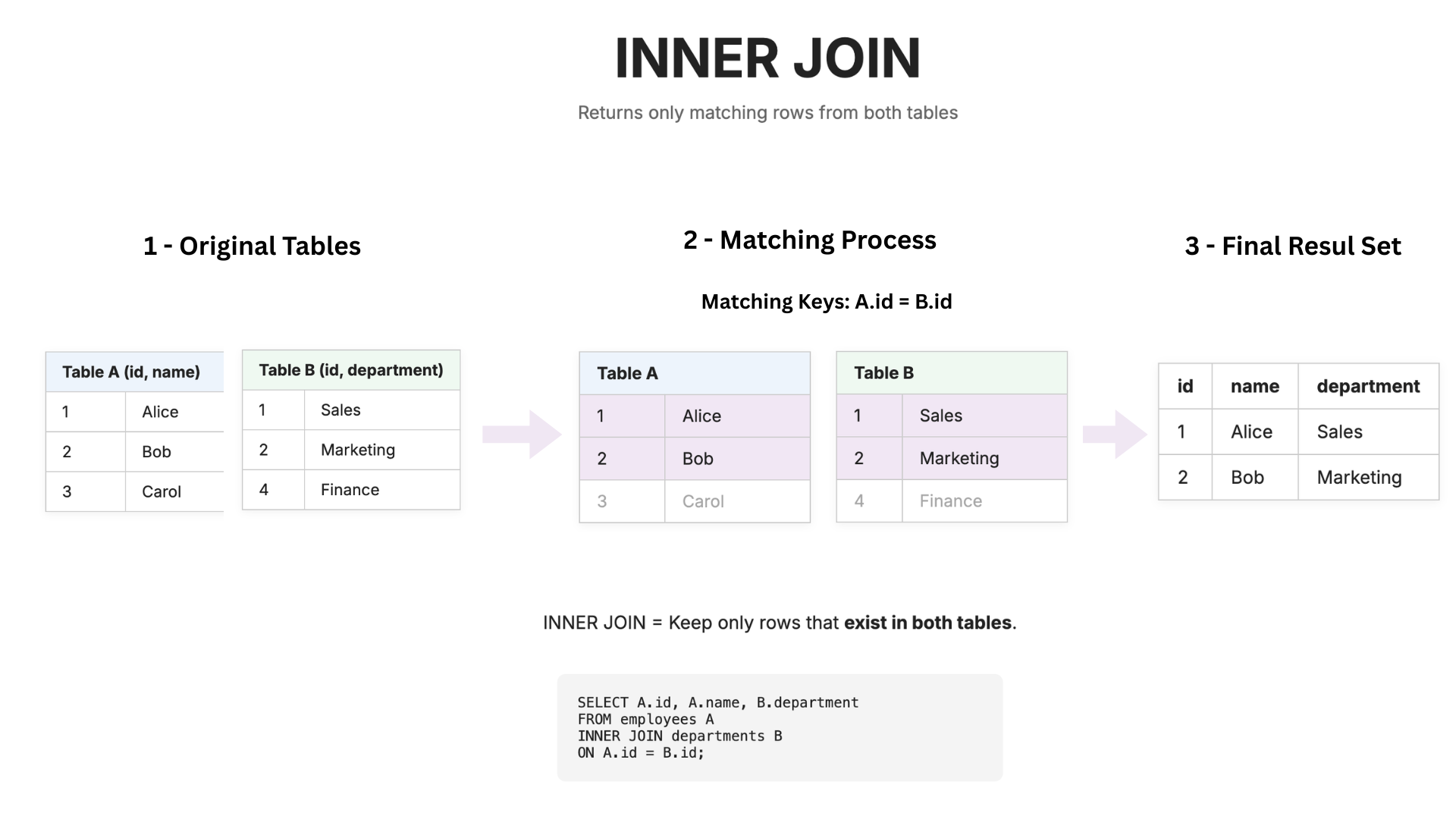
INNER JOIN returns only rows that exist in both tables. If a row does not match in the other table, it is excluded.
When to use
When you need only matching data between tables.
2. LEFT JOIN
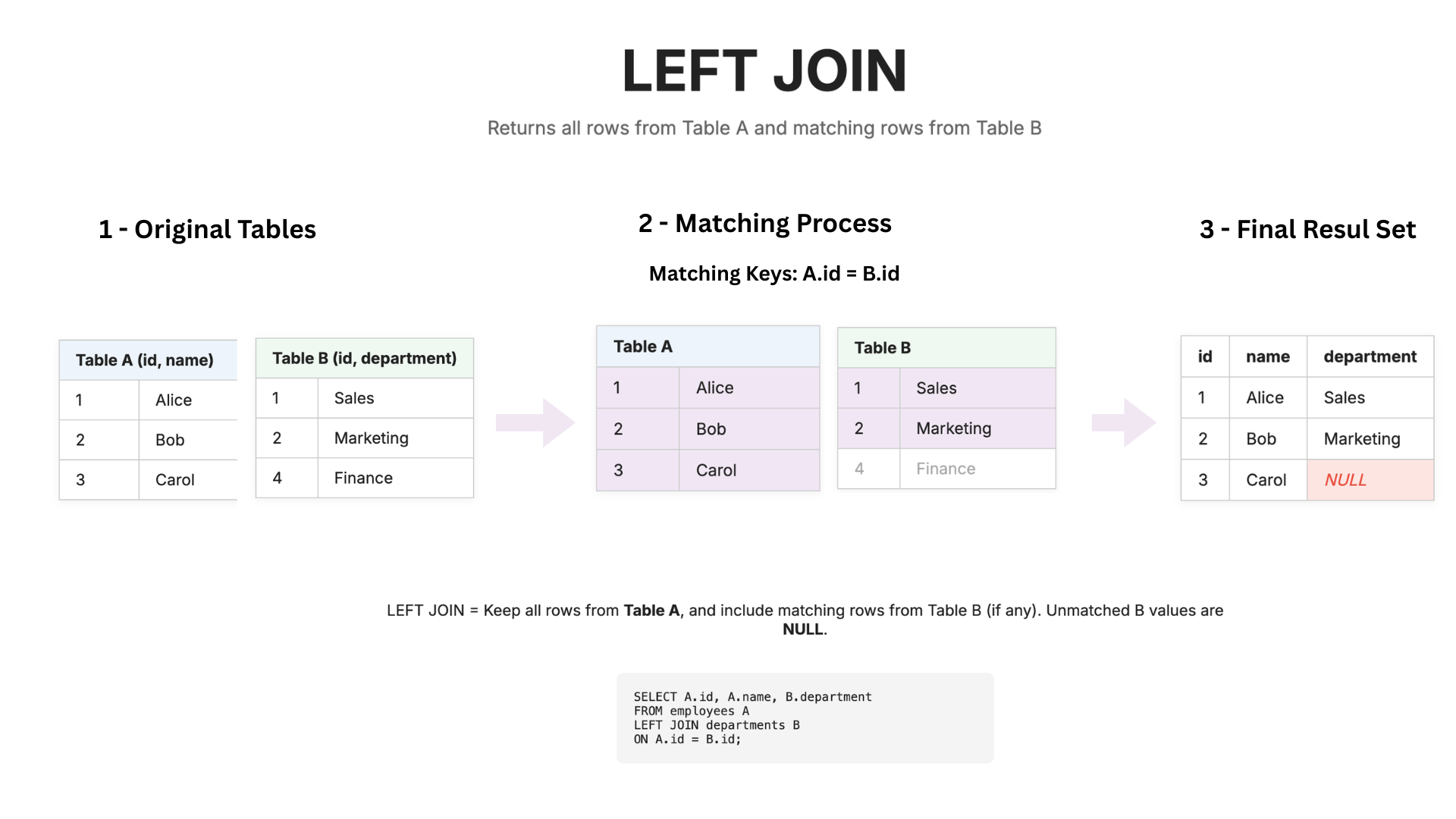
LEFT JOIN returns all rows from the left table, even if there is no match in the right table. If there is no match, the missing values are filled with NULL:
When to use
When you want all records from the left table, regardless of matches.
3. RIGHT JOIN
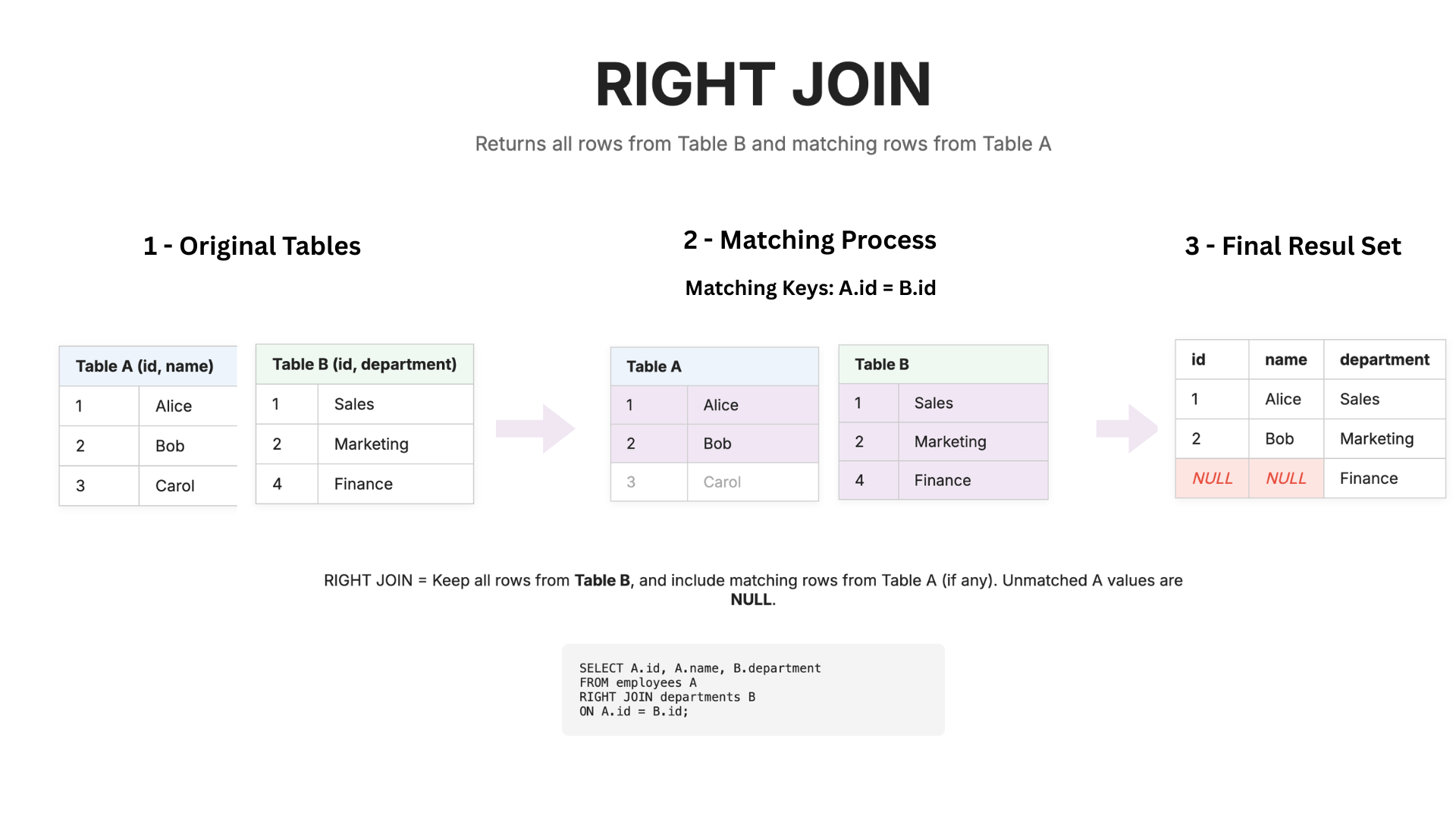
RIGHT JOIN returns all rows from the right table, even if there is no match in the left table:
When to use
When you want all records from the right table, regardless of matches.
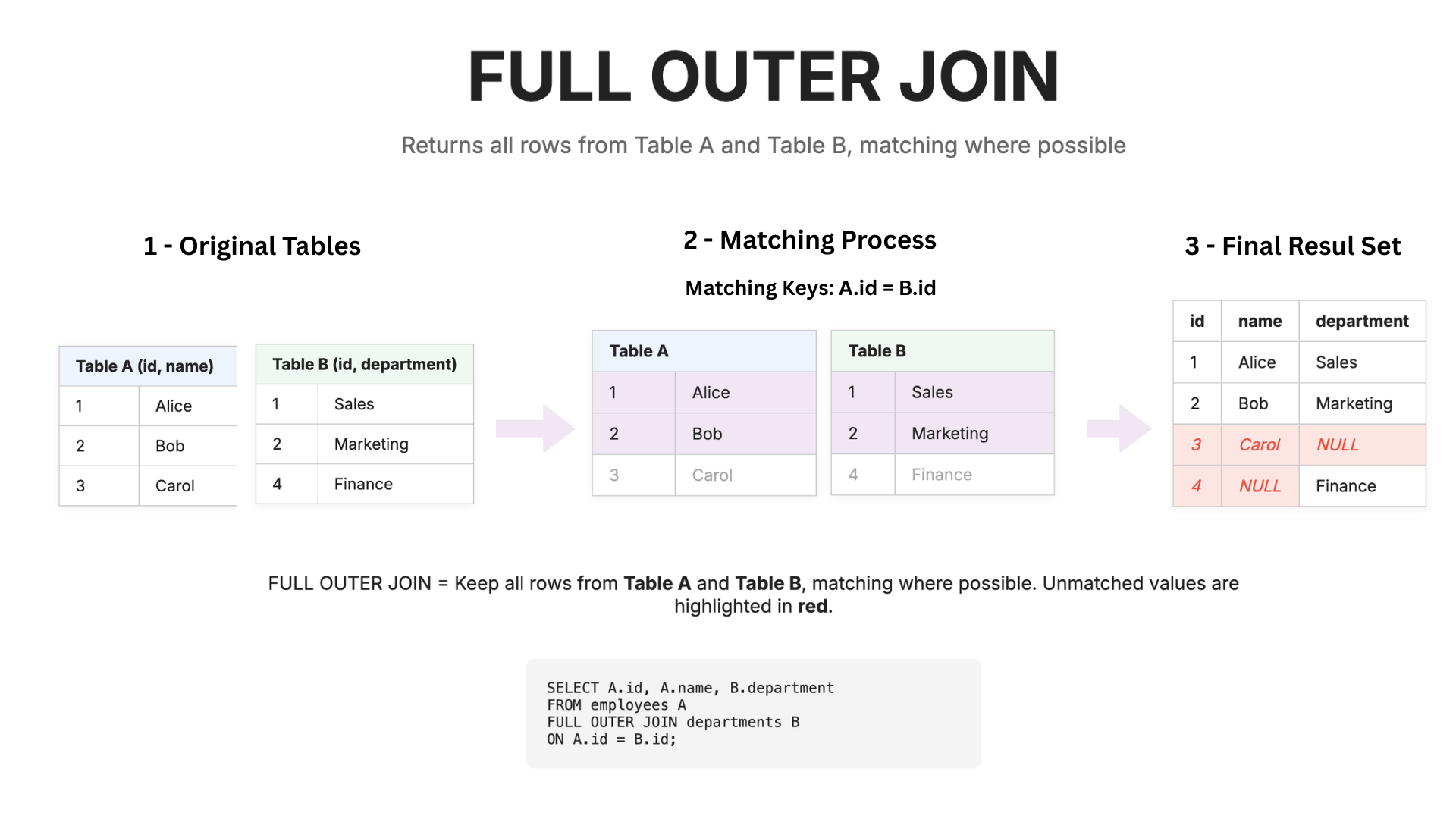
4. FULL OUTER JOIN
Definition: Returns all rows from both tables, matching where possible. Unmatched rows show NULL values.
When to use
When you need all data from both tables, with or without matches.
Final Quick Tip
A useful way to remember the JOINs:
- INNER → Intersection between tables
- LEFT → All left table rows + matches from right
- RIGHT → All right table rows + matches from left
- FULL → Everything from both tables, NULL where no match exists
Happy learning and thank you for reading!