
6 Must-Know JavaScript Array Methods (With Simple Examples)
- 24 Nov 2025
Mastering arrays is an essential skill for any developer looking to write cleaner and high-quality code. This guide offers clear examples to help you learn and understand the must known array methods.
Javascript provides us with many array methods but only a handful are used consistently in real-world code. So in this post, we will see the 6 most essential array methods, along with simple diagrams and clear examples to make them easy to understand and apply.
The Main 6 Array Methods
These are the methods you’ll encounter the most when transforming, filtering, looping, and searching through collections:
| Method | What It Does | Example |
|---|---|---|
map() | Transform each item | [1,2,3].map(n => n * 2) → [2,4,6] |
filter() | Keep only elements matching a condition | [1,2,3,4].filter(n => n % 2 === 0) |
reduce() | Combine the array into a single value | [1,2,3].reduce((a,n) => a+n, 0) |
find() | Return the first matching element | users.find(u => u.id === 2) |
includes() | Check if a primitive value exists | [1,2,3].includes(2) |
forEach() | Loop for side effects | [1,2,3].forEach(console.log) |
Which Method Should You Use?
When working with arrays, it helps to think in terms of intent:
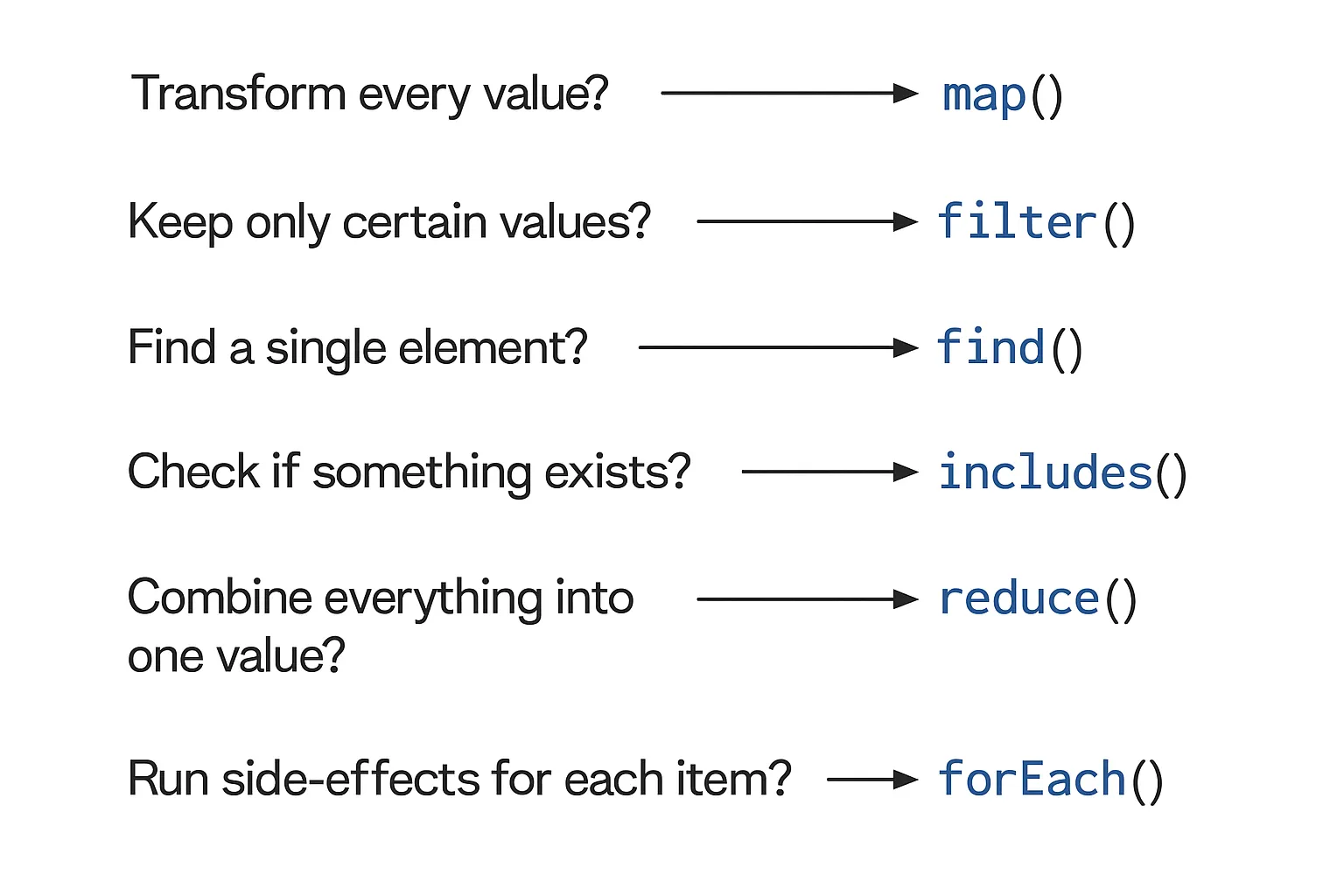
Method-by-Method Breakdown
1. map() → Transform Each Value
// map() takes your array, applies a transformation to every item, and returns a brand-new array
const numbers = [1, 2, 3];
const doubled = numbers.map(n => n * 2);
// Output: [2, 4, 6]
Use it when:
- You want the same number of elements
- You're transforming values: formatting text, adding flags, extracting fields, converting types, etc.
2. filter() → Keep Only What Matches
// filter() returns a new array containing only the elements that satisfy a condition
const evens = [1, 2, 3, 4].filter(n => n % 2 === 0);
// Output: [2, 4]
Use it when:
- You’re removing unwanted items
- You’re validating or sanitizing lists
- You need a subset of the original array
3. reduce() → Accumulate Into a Single Value
// reduce() takes each value and combines it into one final output: a number, an object, an array, or any other structure
const sum = [1, 2, 3, 4].reduce((acc, n) => acc + n, 0);
// Output: 10
Use it when:
- You want totals, minimums, maximums
- You’re building objects or maps
- You’re transforming data into a single result
4. find() → Get the First Matching Element
// find() returns the first element that matches your condition and stops early
const user = users.find(u => u.id === 2);
Use it when:
- You expect only one match
- You want the actual object, not a filtered array
- You want the search to stop early once found
Note: If no match is found, find() will return undefined. It's essential to handle that case in your code.
5. includes() → Check Existence
// includes() checks if a primitive value (string, number, boolean) exists inside an array
[1, 2, 3].includes(2); // true
Use it when:
- You only need a yes/no answer
- You're checking for common values like IDs, tags, or flags
Note: includes() uses strict equality (===), so ['1', 2].includes(1) will return false because 1 is a string and 2 is a number.
6. forEach() → Loop for Side Effects
// Use it when you’re not transforming or filtering, just doing something with each value
[1, 2, 3].forEach(n => console.log(n));
Use it for:
- Logging
- Mutating existing objects
- DOM updates
- External calls (APIs, analytics, etc.)
Note: forEach() doesn't return anything, and it's not ideal for chaining or transformation. For those purposes, use map() or filter() instead.
Mutating vs Non-Mutating Methods
One of the biggest pitfalls for newer developers is knowing which methods modify the original array.
| Category | Methods | Mutates? |
|---|---|---|
| ❌ Non-Mutating | map, filter, reduce, slice, concat | No |
| ✅ Mutating | push, pop, shift, unshift, splice, sort, reverse, fill | Yes |
Why it matters: Mutating methods can cause hard-to-debug side effects, especially in React or functional codebases. Make sure to use wisely and try to avoid mutating methods when working with immutable state.
Quick Tips for Using Array Methods
1. Method Chaining: Your Superpower
const total = items
  .filter(x => x.active)
  .map(x => x.value)
  .reduce((sum, v) => sum + v, 0);
Tip: You can combine multiple array methods to build concise and expressive code in a single line.
2. Understand Early-Exit Behavior
find()→ stops early once a match is found.includes()→ stops early once the element is found.forEach()andmap()→ do NOT stop early, they will iterate through the entire array.
3. Performance Basics
-
map,filter,forEach→ O(n) These methods have a linear time complexity and work well for most use cases. -
sort→ O(n log n) Sorting can become expensive as the array grows, so be cautious when working with large datasets. -
reduce→ O(n) This is an efficient way to reduce multiple operations into a single result, and can replace multiple loops for optimization.
Tip: Always be mindful of performance when working with large arrays. Methods like map() and filter() are great for clarity, but if you're processing extremely large datasets, consider performance trade-offs.
Additional Resources
For more in-depth information on each of the array methods covered, be sure to check out the official MDN documentation for Array methods. It’s an excellent resource for understanding the full range of methods available to you, their syntax, and any additional features or nuances you should be aware of.
Final Thoughts
Mastering these array methods can level up your JavaScript skills and improve the quality of your code. Using these methods will make your code:
- More expressive
- Less error-prone
- More maintainable
- Easier to read
By thinking about the intent behind each array method, you can choose the right tool for the job and make your code more efficient and predictable. If you haven't already, take the time to experiment with these methods in your projects to get comfortable with them.
Happy learning and thank you for reading!